
“Cannot be combined with other offers” usually means a promotion has combination limits, but the exact scope depends on how the retailer defines “other offers.”
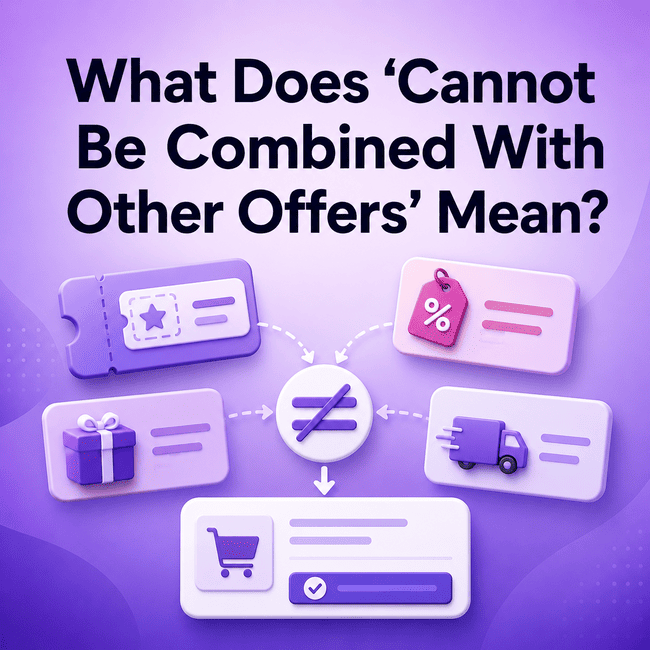
What Does “Cannot Be Combined With Other Offers” Mean?
When a coupon or promotion says it “cannot be combined with other offers,” it generally means the promotion may not be used together with certain other discounts or promotional benefits.
The phrase describes a combination restriction.
However, it does not automatically tell you exactly what counts as another offer.
Depending on the retailer and the promotion terms, “other offers” could refer to:
- another coupon code;
- another promotion;
- a sale price;
- an automatic discount;
- a shipping promotion;
- another retailer-defined benefit.
The wording should therefore be read together with the rest of the promotion terms.
For a broader explanation of conditions like these, see the guide to coupon restrictions.
Coupon Codes and Other Coupons
One of the most common questions is whether two coupon codes can be used together.
If a coupon says it cannot be combined with other offers, that may prevent it from being used with another coupon or promo code.
However, the exact rule depends on the retailer’s wording.
For example, one promotion may restrict:
- multiple coupon codes;
- multiple promotional codes;
- any additional offer.
Another promotion may use narrower language.
This is why you should not treat every “cannot be combined” statement as having exactly the same scope.
If you are comparing multiple discounts, the broader guide to how retailers may stack coupons and discounts explains the general concept.
The important distinction is that BLOG061 focuses on one specific restriction phrase rather than coupon stacking as a whole.
Sales and Promotional Prices
A sale price and a coupon are not necessarily the same type of promotion.
That does not mean they can always be combined.
If an item is already on sale, the coupon terms may:
- allow the coupon to apply;
- exclude sale items;
- prevent combination with another promotion;
- include another condition.
The phrase “cannot be combined with other offers” does not, by itself, confirm whether a sale price counts as another offer.
You need to check whether the terms mention:
- sale items;
- promotional prices;
- discounted products;
- existing offers;
- other combination restrictions.
Avoid assuming either extreme.
It is not safe to say that sale prices always count as another offer.
It is also not safe to say that sale prices never count.
The retailer’s terms determine the applicable rule.
Automatic Discounts
An automatic discount can also interact with a coupon or another promotion.
An automatic discount may be applied when qualifying conditions are met without requiring you to enter a code manually.
A coupon code usually involves a separate redemption step.
These different activation methods do not automatically tell you whether the two promotions can be combined.
If a coupon says it cannot be combined with other offers, you still need to check whether an automatic discount falls within that restriction.
Possible outcomes can vary.
The checkout may:
- keep one promotion;
- reject another;
- show a combination restriction;
- apply only the promotion allowed under the terms.
Do not assume which promotion takes priority.
For more detail on the distinction itself, see automatic discounts and coupon codes.
Shipping Promotions
Shipping offers can also have separate promotion rules.
For example, a retailer may offer a shipping-related promotion under its own conditions.
If another coupon says it cannot be combined with other offers, you should not automatically assume whether the shipping promotion can remain.
The terms may treat shipping offers differently from price discounts.
Check whether the promotion specifically mentions:
- shipping offers;
- free shipping;
- other discounts;
- multiple promotions;
- combination rules.
The important point is that shipping promotion compatibility is retailer-specific.
A combination restriction may affect a shipping promotion, but the phrase alone does not provide enough information to assume the outcome.
“Cannot Be Combined” vs “One Coupon Per Order”
These two restrictions can sound similar, but they describe different scopes.
Cannot Be Combined With Other Offers
This wording generally focuses on whether a promotion can be used together with other promotions or offers.
The restriction can potentially cover more than coupon codes.
One Coupon Per Order
This wording generally focuses on how many qualifying coupons can be applied to a single order.
The restriction is specifically about coupon count at the order level.
For example, “one coupon per order” does not automatically tell you whether a sale or automatic discount can remain.
Likewise, “cannot be combined with other offers” does not automatically tell you that only one coupon is permitted under every possible condition.
The two phrases may produce similar results in some situations, but they should not be treated as identical.
The separate guide to one coupon per order explains that order-level restriction in more detail.
How to Check Combination Rules
When you see “cannot be combined with other offers,” read the surrounding terms before deciding what can or cannot apply.
1. Read the Exact Wording
Start with the full sentence rather than only the phrase.
Look for whether the restriction refers to:
- coupons;
- promo codes;
- promotions;
- discounts;
- other offers;
- specific categories of benefits.
Small wording differences can change the scope.
2. Identify the Promotion You Are Using
Determine what type of offer you are trying to apply.
Is it:
- a coupon code;
- a sale;
- an automatic discount;
- a shipping promotion;
- another type of offer?
This helps you compare the promotion with the stated restriction.
3. Check Whether Other Coupons Are Mentioned
If you want to use more than one coupon, look for terms specifically addressing multiple codes or coupon combinations.
Do not assume that “cannot be combined” always means exactly the same thing as “one coupon per order.”
4. Check Sale Pricing
If your purchase already has a sale price, review whether the coupon terms mention sale items or promotional pricing.
The restriction may apply differently depending on the offer.
5. Check Automatic Discounts
If another discount has already appeared automatically, review whether the terms allow it to remain with the coupon.
Do not assume the checkout will choose one promotion in a particular order.
6. Check Shipping Promotions
If a shipping-related promotion is also present, look for wording that explains whether shipping benefits can be combined.
7. Review the Final Checkout Result
Before completing the purchase, check:
- which promotions are still shown;
- whether a coupon was accepted;
- whether another offer disappeared;
- the final order total.
The checkout result helps confirm how the retailer has applied the combination rules to your specific order.
What Happens at Checkout?
Checkout is where promotion conflicts often become visible.
If two promotions cannot be combined, the retailer’s checkout process may respond in different ways.
For example, it may:
- apply one promotion and not the other;
- reject a newly entered coupon;
- display a message about combination rules;
- leave the order unchanged until one offer is removed.
You should not assume a universal checkout behavior.
Retailers can configure promotion systems differently.
That also means you should not assume that the first promotion applied will always stay, or that a later coupon will always replace an automatic discount.
The practical approach is to compare the result shown before payment.
Check:
- the applied promotions;
- the order summary;
- the final total.
This provides better information than relying only on assumptions about how the phrase should work.
Common Misunderstandings
“Cannot Be Combined Means No Other Discount Can Ever Apply”
Not necessarily.
The restriction may cover certain promotions, but the exact definition of “other offers” depends on the retailer’s terms.
“A Sale Always Counts as Another Offer”
Not necessarily.
Some promotions may exclude sale pricing, while others may use different rules.
Check the exact wording.
“Automatic Discounts Are Always Removed When I Enter a Coupon”
There is no universal rule.
Whether an automatic discount remains depends on the promotion conditions and checkout logic.
“Cannot Be Combined With Other Offers Is the Same as One Coupon Per Order”
No.
One is a broader combination restriction.
The other is an order-level coupon-count restriction.
They may overlap in practice but should not be treated as identical.
FAQ
Can I use two coupons together?
Possibly, but it depends on the coupon terms. If a promotion says it cannot be combined with other offers, another coupon may be restricted. Check whether the wording specifically addresses multiple coupons or promo codes.
Does a sale count as another offer?
It can, but not always. Retailers can define sale pricing and promotion combinations differently. Review the coupon terms to see whether sale items or promotional prices are included in the restriction.
Can an automatic discount block a coupon?
It can happen if the promotion rules do not allow the two offers to be combined. However, you should not assume that every automatic discount blocks every coupon. Check the terms and checkout result.
Is “cannot be combined with other offers” the same as “one coupon per order”?
No. “Cannot be combined with other offers” generally describes a broader promotion-combination restriction, while “one coupon per order” focuses on the number of coupons allowed within one order.
Conclusion
“Cannot be combined with other offers” usually means a promotion has limits on how it can be used with other discounts or benefits.
The exact meaning of “other offers” can vary, so check the promotion wording, combination rules, and final checkout result.
Review the relevant offer terms and final cost before you buy.