
To check whether a coupon code still works, review its terms, expiration, product eligibility, minimum purchase, and the result shown at checkout.
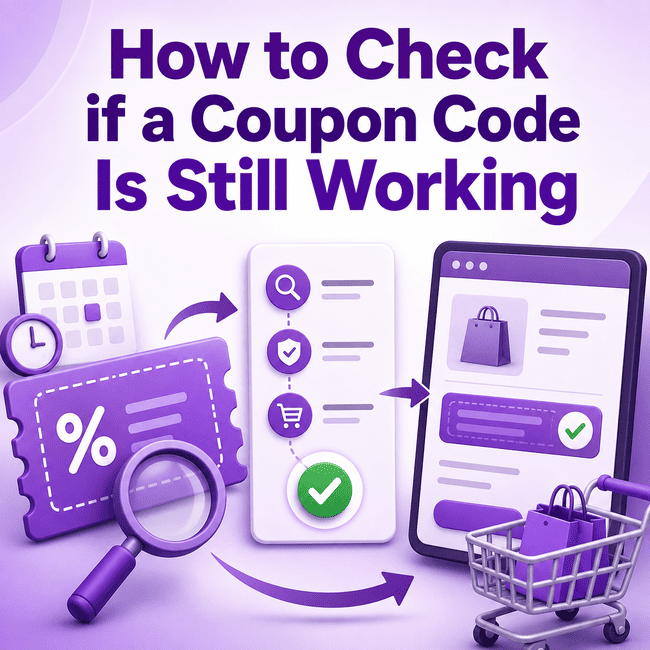
Check the Expiration or Promotion Period
Start by checking whether the coupon has an expiration date or a stated promotional period.
Some offers clearly show when they begin or end. Others may not display a specific date.
If an expiration date is provided, compare it with the current date before trying the code.
If no date is shown, do not assume the code is still valid indefinitely. Retailers can change or end promotions, so the offer terms and checkout result remain important.
A coupon that worked previously may no longer apply if the promotion has ended or changed.
Read the Coupon Terms
The coupon terms explain the conditions that need to be met before the offer can apply.
Common areas to review include:
- eligible products
- minimum purchase requirements
- excluded items or categories
- customer eligibility
- geographic restrictions
- promotion timing
- whether the coupon can be combined with another offer
These conditions can affect whether a code works on your specific order.
A coupon can still exist but fail at checkout because the products, order value, or other conditions do not meet the promotion requirements.
For more context, see the guide to coupon restrictions.
Check Which Products Are Eligible
A coupon does not necessarily apply to every product sold by a retailer.
Some promotions may be limited to:
- selected items
- specific categories
- particular product groups
- regularly priced products
- other qualifying merchandise
The retailer determines which products are eligible.
Before entering the code, check whether the products in your cart are included in the offer.
If the promotion contains exclusions, review them carefully. The guide to coupon exclusions explains how excluded items can affect whether a promotion applies.
Check the Minimum Purchase Requirement
Some coupons require the order to reach a minimum qualifying value.
There is no universal minimum purchase amount.
If the offer includes this requirement, check:
- the stated threshold
- which products count toward it
- whether excluded items are included in the qualifying total
- whether another discount changes the amount used for eligibility
A cart total that looks high enough may still fail to qualify if some products do not count toward the requirement.
For more detail, see how a minimum purchase requirement can affect a coupon.
Enter the Code Carefully
Before assuming a coupon has expired or stopped working, make sure it was entered correctly.
Common entry problems can include:
- missing characters
- extra spaces
- typing errors
- copying incomplete text
- entering the code in the wrong field
If you copied the code from another page, check the text before applying it.
Some retailers may also treat capitalization or formatting differently, so follow the code exactly as it is presented.
Do not change the code unless the retailer specifically instructs you to do so.
Apply the Code in the Cart or Checkout
The cart or checkout is where you can test whether a coupon affects your actual order.
A general process is:
- Add the products you intend to buy.
- Go to the cart or checkout.
- Find the coupon or promotional code field.
- Enter the code.
- Apply it.
- Review the retailer’s response.
The retailer may:
- apply the promotion
- show that the code does not qualify
- display a condition that has not been met
- indicate that the promotion has changed or ended
A coupon listing or search result alone does not confirm whether the code applies to your order.
The cart or checkout gives you information based on the products and conditions in the purchase you are currently making.
Confirm the Discount or Offer Result
Do not stop after the checkout accepts the code.
Review what actually changed in the order.
Check:
- whether the product price changed
- whether an order-level discount appeared
- whether the correct products received the offer
- whether a shipping-related promotion applied
- whether another discount was removed
- whether the final total changed as expected
A code can sometimes be entered without producing the result you expected.
The useful question is not simply:
Was the code accepted?
It is:
What effect did the code have on this order?
Review the order summary before completing the purchase.
What If the Coupon Code Does Not Work?
A coupon may fail for several reasons.
Possible causes include:
- the promotion expired or ended
- the code was entered incorrectly
- the products are not eligible
- the order does not meet a minimum purchase
- excluded items are in the cart
- the customer does not meet the eligibility conditions
- another promotion prevents the coupon from applying
- the retailer changed the offer
If a code does not work, use this process:
1. Recheck the code
Make sure it was entered correctly.
2. Review the promotion period
Check any expiration date or timing information.
3. Check product eligibility
Confirm that the items in your cart qualify.
4. Check the minimum purchase
Make sure the qualifying total meets any requirement.
5. Review exclusions
Look for products or categories that are not included.
6. Check combination rules
Another promotion may affect whether the coupon can be used.
7. Review the checkout message
The retailer may provide information about why the code did not apply.
8. Try another relevant offer
If another promotion is available, review its terms before trying it.
For more detailed troubleshooting, see why a coupon code may not work.
A Simple Coupon Verification Checklist
Before relying on a coupon code, work through this checklist.
Check the promotion period
Look for any expiration date or stated offer period.
Read the terms
Review eligibility, exclusions, minimum purchase requirements, and other conditions.
Check the products
Confirm that the items you want to buy qualify.
Check the order value
Make sure the cart meets any minimum purchase requirement.
Review exclusions
Check whether selected products or categories are excluded.
Enter the code carefully
Copy or type the code exactly as provided.
Apply the code
Use the retailer’s cart or checkout field.
Review the result
Confirm what changed in the order and check the final total.
This process is more reliable than assuming a coupon still works simply because the code appears in a search result or listing.
Can a Coupon Be Listed but No Longer Apply?
Yes.
A code can remain visible on a webpage, search result, saved page, or other source after the promotion has changed or ended.
It can also remain relevant to the retailer but fail on your particular order because of eligibility conditions.
This is why coupon checking has two separate parts:
- Review the offer information.
- Confirm the result on your actual order.
Neither step should be skipped.
When Should You Look for Another Coupon?
If a code does not apply after you have checked its spelling and conditions, it may be reasonable to review another relevant offer.
Before switching codes, make sure you understand why the first one failed.
Trying several codes without checking their terms can make it difficult to know whether the issue is:
- product eligibility
- minimum purchase
- exclusions
- checkout rules
- expired promotions
- code entry
If you need to look for another offer, the guide to finding coupon codes explains a broader search process.
Frequently Asked Questions
How do I know if a coupon code still works?
Check the coupon’s promotion period, terms, eligible products, minimum purchase requirements, and exclusions. Then enter the code in the retailer’s cart or checkout and review what happens to the order. A listing or search result alone does not confirm that a coupon applies to your purchase.
What should I check before using a code?
Review the expiration or promotional period, product eligibility, minimum purchase, exclusions, customer requirements, and combination rules. Enter the code carefully, apply it in the cart or checkout, then confirm whether the intended discount or offer actually appears in the order summary.
Conclusion
Checking whether a coupon code still works requires more than finding the code online.
Review its promotion period, terms, product eligibility, minimum purchase, and exclusions, then test it in the cart or checkout and confirm the effect on the final order.
You can also review coupon codes or search for a store on CouponNo1.com.