
A coupon code works by linking an order to a retailer promotion. The store checks the code and qualifying conditions before applying the offer.
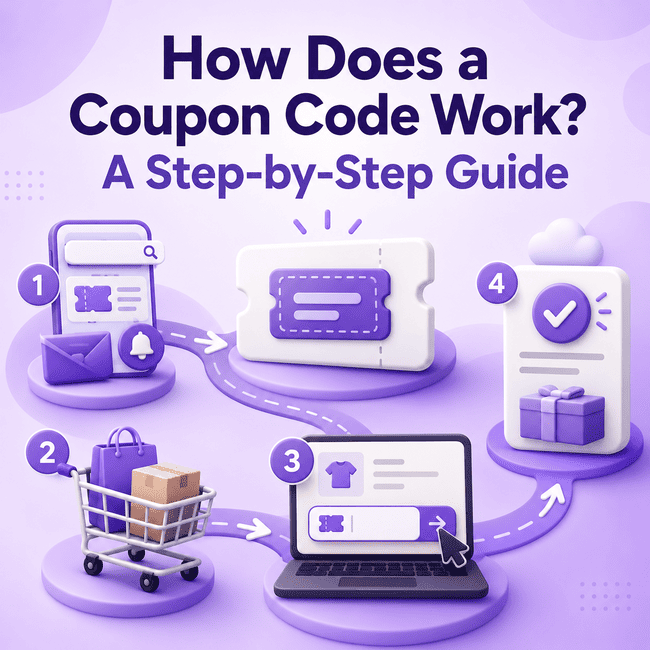
What Happens When You Enter a Coupon Code?
When you enter a coupon code, you are not creating a discount by yourself.
Instead, you are telling the retailer’s system which promotion you want the order to be checked against.
A simple version of the process looks like this:
-
You enter a code in the cart or checkout.
-
The retailer identifies the promotion connected to that code.
-
The system checks whether your order meets the promotion conditions.
-
If the order qualifies, the promotion may be applied.
-
You review the updated order total before completing the purchase.
This is why entering a code does not automatically guarantee a discount.
The code is only one part of the process.
The products in the cart, the order value, the timing of the offer, customer eligibility, exclusions, and other conditions can all affect the result.
If you want the basic definition first, see what a coupon code is.
Step 1: Find a Coupon Code
The coupon journey starts with finding a code connected to a retailer offer.
A shopper may come across a coupon code through:
-
a retailer promotion
-
a coupon or deals page
-
an email offer
-
another promotional source
The important point is that the code should be read together with the offer itself.
A code by itself does not explain:
-
what the promotion covers
-
which products qualify
-
whether a minimum purchase is required
-
whether the offer is still active
-
whether restrictions apply
That is why finding the code is only the first step.
If you want a broader guide to the discovery stage, see how to find coupon codes for online stores.
Step 2: Check the Coupon Terms
Before entering a code, review the promotion terms.
This matters because the code may only work when certain conditions are met.
Common things to check include:
-
eligible products
-
exclusions
-
minimum purchase requirements
-
promotion period
-
customer eligibility
-
geographic conditions
-
whether the offer can be combined with another promotion
For example, a coupon may be listed for a retailer but still not apply to the exact products in your cart.
Another coupon may require a qualifying order value before the discount can be applied.
These conditions are part of the normal coupon process.
The broader guide to coupon restrictions explains these terms in more detail.
Step 3: Add Qualifying Products to the Cart
After checking the terms, add the products you intend to buy.
This step sounds simple, but it affects whether the coupon can work.
The products in the cart should match the conditions of the offer.
For example:
-
the offer may apply only to selected products
-
some categories may be excluded
-
some items may not count toward a required threshold
-
some products may already have another promotion attached
A cart can also contain a mixture of eligible and non-eligible items.
In that case, the retailer may apply the promotion only to the qualifying part of the order, or the order may fail the offer conditions depending on how the promotion is structured.
That is why shoppers should not assume the full cart automatically qualifies.
Step 4: Find the Coupon Code Field
Once the intended products are in the cart, the next step is finding the place where the code should be entered.
Depending on the retailer, the coupon field may appear in:
-
the shopping cart
-
checkout
-
the order summary
-
another promotional-code area defined by the retailer
The field may use different labels, such as:
-
coupon code
-
promo code
-
discount code
-
promotional code
Online stores do not all use the same layout, so the exact location can vary.
If you want a more focused guide on this step, see where to enter a coupon code.
Step 5: Enter the Coupon Code
After finding the field, enter the code carefully.
A shopper may type the code manually or paste it from the source where it appeared.
At this stage, it helps to check for simple issues such as:
-
missing characters
-
extra spaces
-
incomplete copied text
-
entering the code in the wrong field
The code should be entered exactly as the retailer expects.
This is important because a coupon can fail for a simple input reason even before deeper conditions are considered.
Still, a correctly entered code does not guarantee the order qualifies.
Correct entry only allows the retailer’s system to move to the next step.
Step 6: Apply the Code
After the code is entered, the shopper applies it.
At this point, the retailer’s system checks the order against the promotion linked to the code.
That check may include:
-
whether the code corresponds to an active promotion
-
whether the products are eligible
-
whether a minimum purchase has been met
-
whether exclusions affect the order
-
whether the shopper meets the promotion’s eligibility rules
-
whether another promotion conflicts with the code
This is the part of the process where the code becomes more than a string of letters or numbers.
It now functions as a trigger for the retailer’s promotion logic.
If the conditions are met, the offer may be applied.
If not, the code may be rejected or the order may remain unchanged.
Step 7: Confirm the Discount or Offer Result
After applying the code, review the cart or checkout carefully.
This is the step that tells you what the code actually did for the order.
Check things such as:
-
whether the order total changed
-
whether only certain products were affected
-
whether a shipping-related offer appeared
-
whether an eligibility or error message is shown
-
what the final checkout total looks like
Do not stop at the assumption that the code “went through.”
What matters is the actual result reflected in the order summary.
Sometimes a shopper sees that the code was accepted but does not notice that only part of the order qualified.
In other cases, a message may show that one condition has not been met.
If you want a more focused review process, see how to check whether a coupon code works.
Why Can a Coupon Code Be Rejected?
A coupon code can be rejected for several reasons.
Common possibilities include:
-
the code was entered incorrectly
-
the promotion has ended
-
the minimum purchase was not met
-
one or more products are excluded
-
the shopper is not eligible for the offer
-
a geographic restriction applies
-
another promotion conflicts with the code
-
the retailer has other promotion-specific conditions
A rejected code does not always mean the code itself is wrong.
Sometimes the issue is the order.
Sometimes it is a restriction attached to the promotion.
Sometimes it is simply a typing or entry problem.
If you need a deeper troubleshooting guide, see why a coupon code may not work.
Can Multiple Coupon Codes Be Used?
Sometimes, but not always.
Whether multiple coupon codes can be used on the same order depends on the retailer and the terms of the promotions involved.
Possible outcomes include:
-
only one code is allowed
-
one code replaces another
-
one code works but the other is rejected
-
multiple promotions can be combined
There is no universal rule that applies across all retailers.
That is why shoppers should check the promotion terms and the final order result rather than assuming several codes can always be stacked.
For a more detailed guide, see how to combine coupons and discounts.
A Simple Coupon Code Workflow
To summarize the process, a coupon code usually works like this:
-
Find a code connected to a promotion.
-
Read the offer terms.
-
Add qualifying products to the cart.
-
Find the coupon field.
-
Enter the code carefully.
-
Apply the code.
-
Let the retailer check the promotion conditions.
-
Review the cart or checkout result.
-
Confirm the final order total before purchase.
This step-by-step sequence explains how a coupon moves from a promotional listing to an actual checkout result.
Frequently Asked Questions
How does a coupon code work?
A coupon code works by identifying a retailer promotion when the shopper enters the code in the cart or checkout. The retailer then checks whether the order meets the promotion conditions. If the products, order value, timing, and other requirements qualify, the promotion may be applied to the order.
Why can a code be rejected?
A code can be rejected because of incorrect entry, an ended promotion, minimum purchase issues, excluded products, customer eligibility rules, geographic restrictions, or conflicts with another promotion. The reason can be connected to the code itself, the products in the order, or the promotion terms.
Can multiple codes be used?
Sometimes, depending on the retailer and the rules attached to the offers. Some stores allow only one code, while others may permit more than one promotion under specific conditions. Review the terms and the final order result rather than assuming multiple codes will work together.
Conclusion
A coupon code works by connecting an order to a retailer promotion during the cart or checkout process.
The retailer checks the code, the products, and the qualifying conditions before deciding whether the offer applies.
That is why the full process matters: finding the code, checking the terms, entering it correctly, and reviewing the final order result.